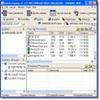
Free LAN scanner offering device info, shared folder browsing, monitoring alerts, and remote power control
Free LAN scanner offering device info, shared folder browsing, monitoring alerts, and remote power control
Vote (1 votes)
Program license Free
Developer S.K. Software
Version 5.2.2
Works under Windows
Vote
(1 votes)
Developer
S.K. Software
Works under
Windows
Program license
Free
Version
5.2.2
Pros
- Free network scanner for Windows from S.K. Software
- Finds all devices on your LAN across wired and wireless connections
- Displays detailed information such as IP, MAC, NIC provider, operating system, login time, and number of users
- Tree-like view keeps large networks organized and easy to browse
- Shows shared folders and their directories for each computer
- Monitors devices and can alert you when new connections appear
- Includes Remote Shutdown and Wake On LAN for basic remote power control
- Simple enough for non-expert users to operate
Cons
- Interface design looks outdated compared with modern Windows applications
MyLanViewer Network/IP Scanner is a free Windows network utility from S.K. Software that scans your local area network and lists every connected device in one place. It suits IT staff and home users alike who want a straightforward way to see which computers are on their LAN, what they are sharing, and when something new joins the network.
Comprehensive view of devices on your LAN
At its core, MyLanViewer Network/IP Scanner focuses on discovering all IP addresses active on your local network, with support for both wired and wireless connections. After a scan, it presents the results in a collapsible, tree-like layout that groups data by device, which keeps large networks from feeling cluttered.
For each detected computer, you can view details such as:
- IP address
- MAC address
- Network interface card (NIC) provider
- Operating system and version
On top of that, the program can display extra context like login time and number of users for each system. Having this information in a single window helps you quickly understand what is on your LAN and how those machines are being used.
Monitoring tools and shared resource browsing
Beyond basic scanning, MyLanViewer Network/IP Scanner includes features that help you keep an eye on an active network. It can monitor connected devices and alert you when a new system appears, so changes on the LAN do not go unnoticed.
The software also gives you insight into what each computer is sharing. You can browse shared resources such as files and folders and see their directories, which is useful when you need to track down shared content or verify what is exposed on the network.
For remote management, network administrators will appreciate the presence of Remote Shutdown and Wake On LAN. These options let you turn selected computers off or power them on from a distance, as long as they are configured to support these commands.
Interface, usability, and learning curve
The interface is intentionally straightforward, focusing on lists and tree views rather than complex dashboards. This keeps navigation simple and helps less experienced users find the information they need without wading through advanced configuration panels. The program is described as easy enough for almost anyone to understand, which makes it a practical choice in environments where not everyone is a networking expert.
Visually, however, the design looks dated compared with modern Windows applications. Icons, window styling, and overall appearance feel old-fashioned, even though the layout itself remains clear. Users who care more about function than looks will probably accept this trade-off, but those who prefer a modern interface may find it less appealing.
Who will benefit most
MyLanViewer Network/IP Scanner works well for people who manage or use networks with many connected machines. Network administrators gain quick visibility into IP and MAC addresses, shared folders, and login details, plus basic remote power controls. At the same time, home users with multiple computers on a LAN can use it to see what is connected, what each device is running, and when something new appears.
If you want a free Windows LAN scanner that combines device discovery, basic monitoring, shared folder browsing, and simple remote control tools, and you do not mind an old-fashioned interface, MyLanViewer Network/IP Scanner is a capable choice.
Pros
- Free network scanner for Windows from S.K. Software
- Finds all devices on your LAN across wired and wireless connections
- Displays detailed information such as IP, MAC, NIC provider, operating system, login time, and number of users
- Tree-like view keeps large networks organized and easy to browse
- Shows shared folders and their directories for each computer
- Monitors devices and can alert you when new connections appear
- Includes Remote Shutdown and Wake On LAN for basic remote power control
- Simple enough for non-expert users to operate
Cons
- Interface design looks outdated compared with modern Windows applications